
Your bikes are here. Let’s get your riders playing.
Everything your team needs to set up, launch, and keep members coming back — whether you run a YMCA, a senior living community, a fitness center, or a campus rec center.
Delivery Day Checklist
Make sure everything arrives in perfect condition and get ready for setup.
- Document any damage during delivery
- Complete your install checklist
- Get your admin code ready
Create an Account & Play
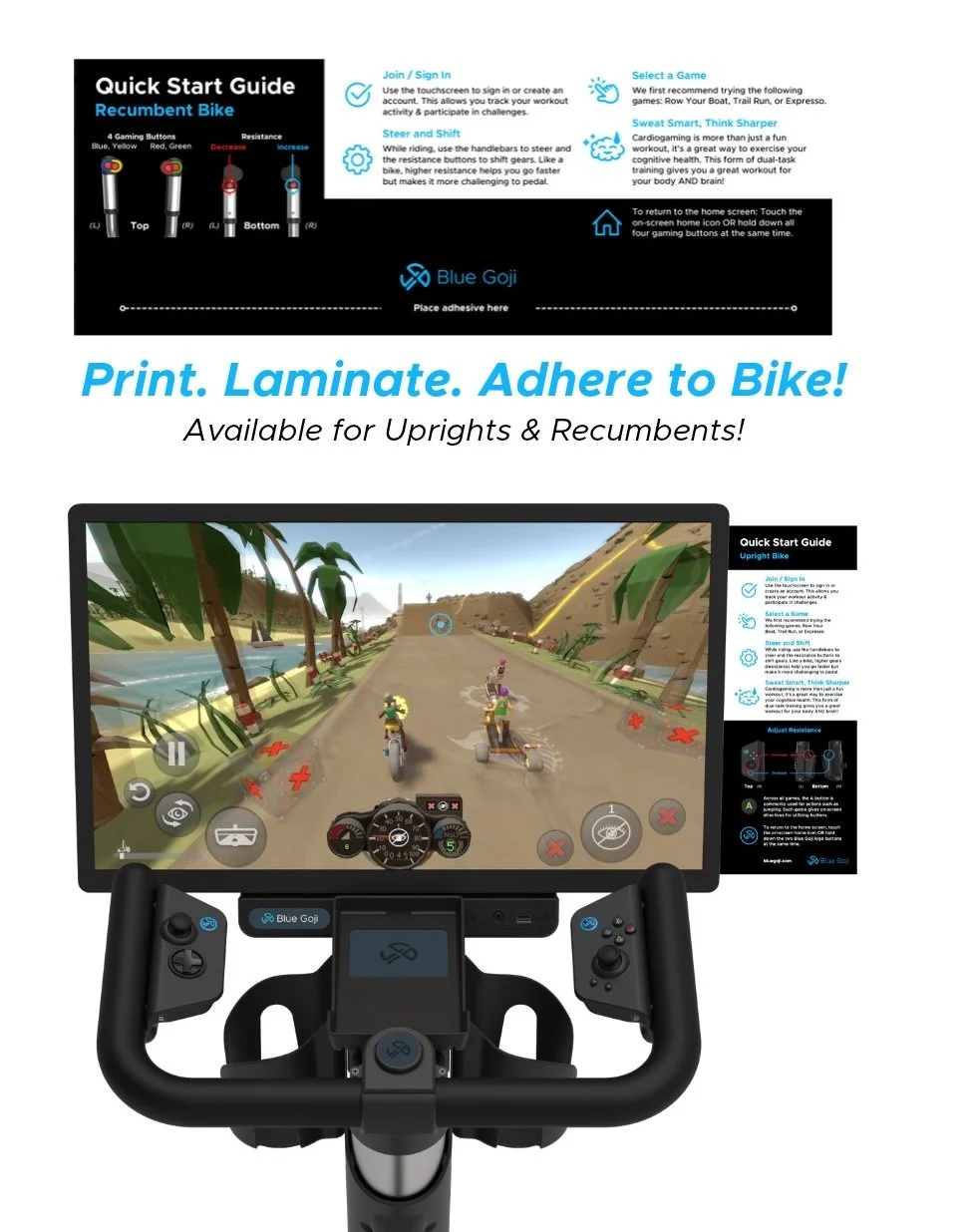
Create your account directly on the bike or download the Blue Goji App to get started.
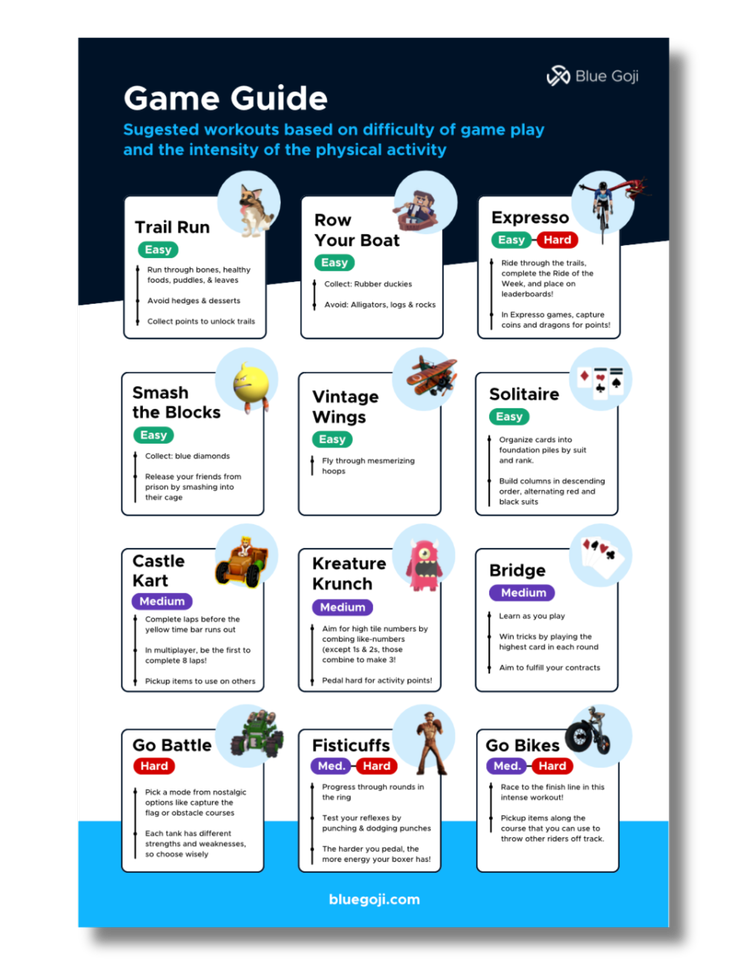
Trail Run 🐶 and Row Your Boat 🛶
Virtual Training
We highly recommend a virtual onboarding session to learn everything about your bikes.
Wellness Coordinators, Event Coordinators, and Personal Trainers. Anyone working directly with those who will be using the bike.
Video Tutorials
Prefer to learn visually? Explore quick tutorials to get the most out of your Blue Goji bike.
Marketing Materials

FAQs
What is the Admin Code?
All new bikes use admin code 7913 for setup and WiFi.
My bike arrived damaged
Document it in the checklist, take photos, and notify the Blue Goji team you've been communicating with so we can resolve it quickly.
WiFi Requirements
Minimum 4Mbps per bike. Recommended 8Mbps+ per bike for optimal performance.
I got my bike, now what?
Create your account, explore the games, and jump into challenges! You can browse all available games and find your favorites in our Game Library →
Digital Copies of User Guides and Installation Guides
Select your product below to view its user guide:
- CyberCycle CC4 Recumbent: View User Guide
- Expresso GO-U2 Upright: View User Guide
- Expresso GO-R2 Recumbent: View User Guide
Keep the momentum going with tutorials, tips, and game tricks.
Want more help getting riders comfortable and excited to play? Visit our YouTube and follow us on social for tutorials, walkthroughs, and pro tips.